

You pay for fast internet. You run speed tests. Yet somehow your video call freezes at the worst possible moment. Sound familiar? One of the biggest home internet mistakes has nothing to do with your provider. It often comes down to where people place their router. Many homeowners treat the router like an ugly lamp. They hide it in a cabinet, tuck it behind furniture, or stuff it in a corner. Then they wonder why the signal struggles to reach the other side of the house. It’s a bit like putting a speaker inside a closet and expecting concert-level sound throughout the building.
Why Router Placement Matters More Than You Think
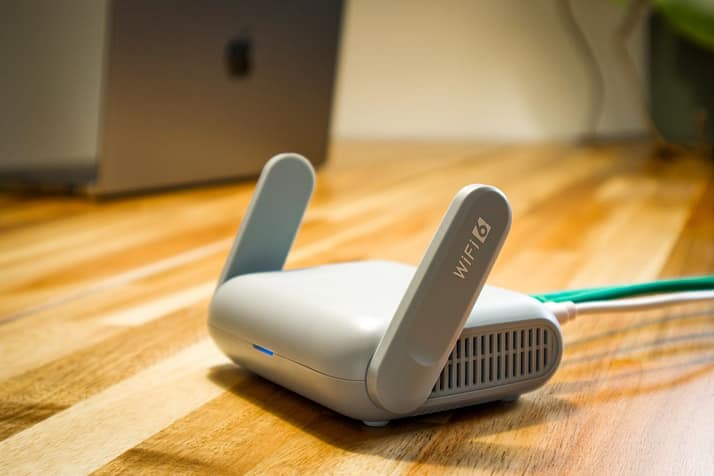
WiFi signals travel through the air. They do not magically teleport through thick walls, metal surfaces, and large appliances. Every obstacle weakens the connection a little. A router placed in a central location generally performs better than one hidden in a distant room. The farther devices are from that heart, the harder they have to work to stay connected.
Even moving a router a few feet can create noticeable improvements. Many people never revisit the router location after installation day. The technician sets it up, and that’s where it stays for years. Meanwhile, furniture changes, new devices arrive, and network demands grow. The original placement may no longer make sense.
The Cabinet Trap That Kills WiFi
A surprising number of routers spend their lives trapped inside cabinets. It keeps things looking tidy, but it also blocks signal strength. Wood, glass, and surrounding objects can interfere with wireless coverage. Heat is another issue. Routers generate warmth during operation. A cramped space can make that heat build up. Electronic devices generally perform better when they can breathe. Giving your router open space often helps both speed and stability.
Too Many Devices Are Competing for Attention
Years ago, a household might have had one computer and a smartphone. Today, homes are packed with connected gadgets. Smart TVs, speakers, security cameras, gaming consoles, tablets, and appliances all want a slice of bandwidth. Routers can become overwhelmed when dozens of devices stay connected around the clock. Reviewing connected devices occasionally is a smart habit. You may spot old gadgets still using network resources despite gathering dust in a drawer. Disconnecting unused devices can free up capacity.
Skipping Updates Creates Hidden Problems

Most people update their phones and laptops regularly. Routers rarely receive the same attention. That is a mistake. Router firmware updates often improve performance, fix bugs, and patch security issues. Ignoring updates can leave your network running on outdated software. Checking for updates every few months takes only a few minutes. Manufacturers release these improvements for a reason. A newer firmware version can sometimes solve connection issues that users assume require expensive hardware upgrades.
The Small Change That Makes a Big Difference
Many internet frustrations have surprisingly simple causes. Before upgrading your plan or buying new equipment, take a closer look at your setup. Move the router to a better location. Remove obstacles. Review connected devices. Install available updates. Fast internet is not just about the package you pay for. It is also about how well your home network is configured. A few small adjustments can turn a frustrating connection into one that feels far smoother every day.…

 It is noticeable that this gaming monitor has a refresh rate of 165 Hz and a screen size of 27 inches with 1440P resolution. The screen is made suing the IPS technology for vivid, sharp colors any gamer would ask for. Additionally, the screen is well equipped with display ports and HDMI ports for greater connectivity with the other parts of gaming accessories. For a seamless and smooth play, Asus have included Nvidia G-sync technology.